

The Cliento application
Most people who use Cliento never see an API. Staff work in the Cliento application.
What you read and write through the Cliento API is the same data they work with. A customer you create shows up in their customer list, and a booking they move is the booking you read.
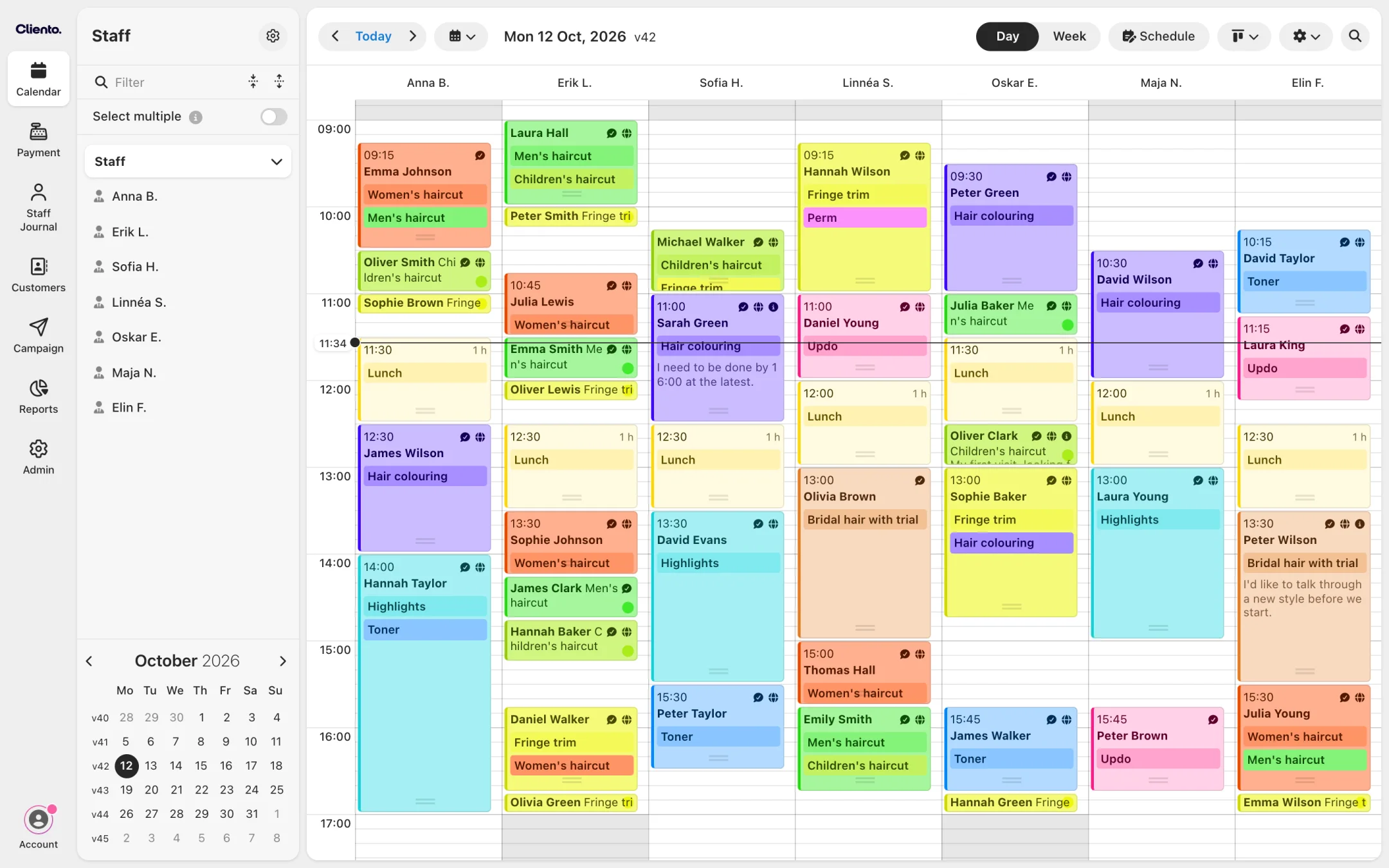
Cliento is the complete platform for running an appointment-based business: bookings, customers, payments, stock, marketing and reporting in one place. It runs in the browser on any computer, tablet or phone, with nothing to install, so the whole team works from the same live data wherever they are.
What is in it
| Area | What staff do there |
|---|---|
| Calendar | See the day or week per resource (a staff member, a room or a piece of equipment), and make, move and cancel bookings |
| Customers | Keep the customer register, with each customer's visits and notes |
| Online booking | Decide what can be booked online and how, for the booking widget and the hosted booking page |
| Services, staff and schedules | Set up what is offered, who does it and when they work |
| Point of sale | Take payment by card and other methods, print or send receipts, and sell products and gift cards |
| Stock | Manage products, deliveries and stock counts |
| Invoices | Invoice customers and track what is paid |
| Journal | Keep records per customer, for clinics and others who need them |
| Campaigns | Send messages to a selection of customers |
| Reports | Track bookings, customers, occupancy and gift cards, and export the data |
An organisation with several locations manages all of them from the same sign-in.
What it means when you build
- You do not need a user interface for staff. They already have one. An integration moves data between Cliento and another system, and the staff keep working where they are.
- The API uses the application's own terms. A location, a service, a resource and a customer mean the same in a request as on the screen.
- Check before you build. Online booking, reminders, the point of sale and reports are already there. What you can build lists what is usually worth connecting.